
Descarcă PCmover Professional – Instrument rapid, sigur și inteligent de migrare PC pentru Windows
Căutați o modalitate fiabilă de a transfera aplicațiile, fișierele și setările de sistem de pe un PC vechi pe unul nou? PCmover Professional de la Laplink Software, Inc. este soluția supremă pentru migrarea fără cusur a Windows. Acest software puternic vă permite să mutați totul—programe, documente, setări de desktop, favorite de browser și altele—în doar trei pași simpli.
Indiferent dacă faceți upgrade la un laptop nou, înlocuiți un desktop deteriorat sau treceți de la o versiune Windows la alta (de la Windows 7 la Windows 11), PCmover Professional asigură un proces de transfer lin, sigur și automatizat. Spre deosebire de copiile de rezervă manuale sau de instrumentele terțe, această aplicație gestionează întreaga migrare fără a necesita reinstalarea software-ului sau căutarea cheilor de licență. Cu suport pentru transferuri prin rețea cablată și wireless, este ideal pentru utilizatorii care doresc viteză, comoditate și liniște.
Cel mai bun este că păstrează identitatea digitală exact așa cum era—fără fișiere suprascrise, fără setări lipsă. Descarcă PCmover Professional astăzi și fă upgrade‑ul următor al PC‑ului fără efort.
De ce PCmover Professional se evidențiază în migrarea PC-urilor
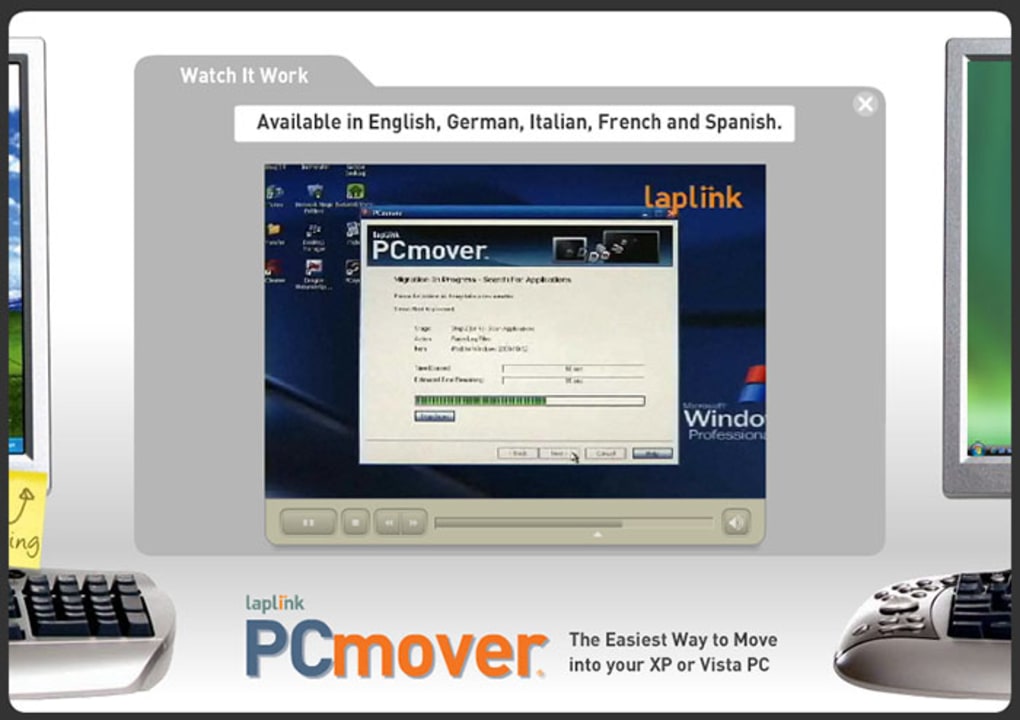
When it comes to transferring data between computers, most users are stuck with tedious, time-consuming methods—manually copying files, reinstalling programs, or reconfiguring settings. PCmover Professional eliminates all of that with a fully automated, intelligent migration system. What sets it apart is its ability to move not just files, but entire applications and system configurations—something few tools can do. Whether you're moving from an older Windows 7 machine to a modern Windows 11 system or upgrading from a laptop with limited storage to a high-performance desktop, this software handles the complexity behind the scenes. The process starts with installing PCmover on both the source and destination machines. Then, using a guided wizard, you choose your transfer method—direct cable connection, Wi-Fi network, or local area network. The software then scans your old PC, identifies all user data, installed applications, and system preferences, and securely transfers them to your new system. One of the most impressive features is its smart detection system, which automatically identifies incompatible software or DRM-protected files and alerts you before the transfer. This prevents errors and ensures your new PC runs smoothly. Unlike competitors like Zinstall, PCmover provides clear transparency about which apps it can and cannot transfer, reducing user frustration. It also supports a wide range of software, including Microsoft Office, Adobe Creative Suite, and many popular productivity and development tools. The transfer process is fast—often completing in under an hour for average users—and it runs in the background, so you can continue using your old PC during the migration. With built-in security protocols and data encryption, your files are protected during transfer. Whether you're a home user, small business owner, or IT professional managing multiple devices, PCmover Professional delivers unmatched reliability and efficiency.Configurare fără cusur și proces de transfer ușor de utilizat
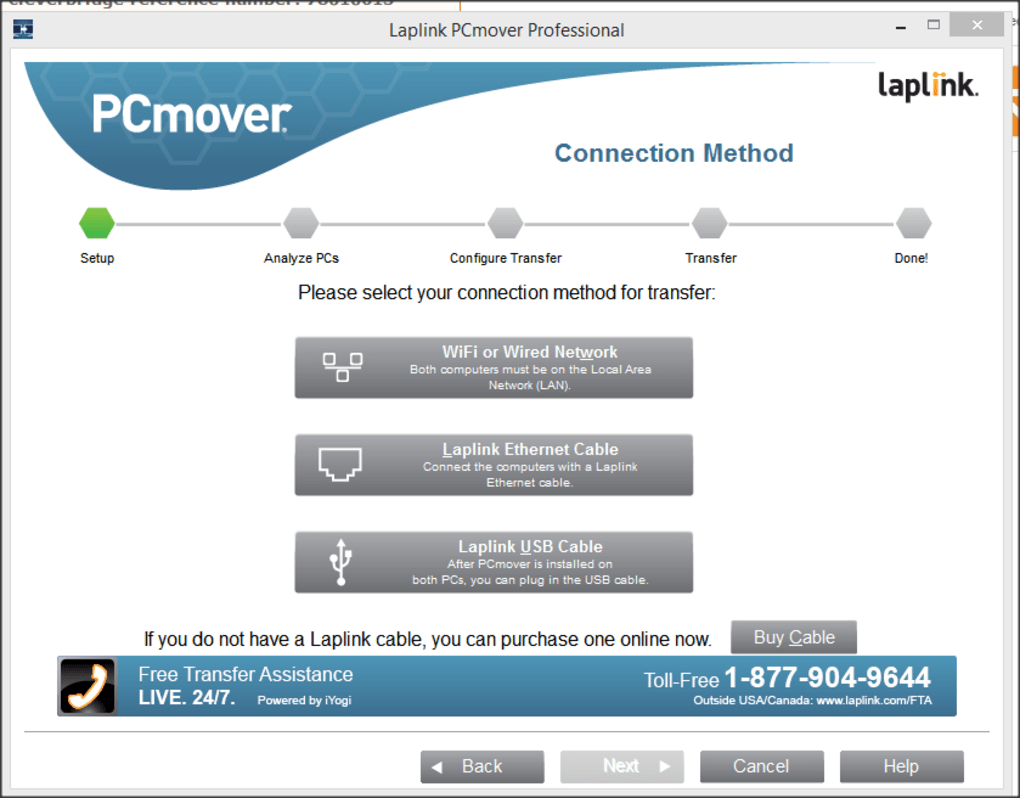
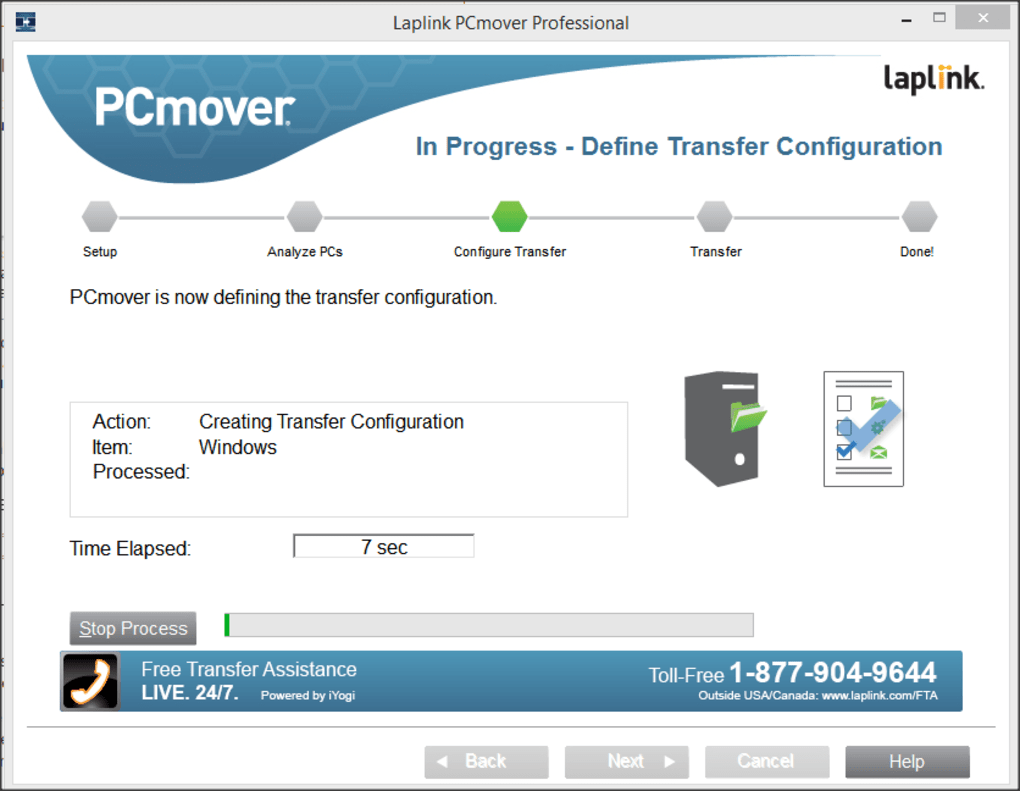
Getting started with PCmover Professional is straightforward, even for users with limited technical knowledge. The installation process is quick and intuitive. Simply download the software from the official Laplink website, run the installer on both your old and new PCs, and launch the application. The built-in setup wizard walks you through each step, asking you to select the type of transfer you want—either a full migration (all files, apps, and settings) or a selective transfer (only specific data). You can choose between a direct USB cable connection or a wireless network transfer, depending on your setup. For faster speeds, a wired connection is recommended, but Wi‑Fi works seamlessly for most users. Once the connection is established, PCmover scans your old system and displays a comprehensive list of what will be transferred. You can review and customize the transfer list, excluding certain programs or files if needed. The software intelligently handles dependencies, ensuring that related files and registry entries are moved correctly. During the transfer, you can monitor progress in real time, with estimated completion times and detailed logs. One of the standout benefits is that it doesn’t require you to deactivate or uninstall software on your old PC—your system remains fully functional throughout the process. After the transfer is complete, the software guides you through a post‑migration setup, where you can verify that all programs are working correctly and adjust settings if necessary. If any issues arise, PCmover offers troubleshooting tools and support resources. The entire experience is user‑friendly, well‑documented, and designed to minimize user errors. Whether you're a beginner or a power user, the interface is clean, responsive, and easy to navigate. With PCmover Professional, you're not just transferring data—you're migrating your entire digital workspace with confidence.Compatibilitate completă și caracteristici cheie pentru utilizatorii moderni
PCmover Professional is built to work across a wide range of Windows environments, supporting all major versions from Windows 7 to Windows 11. It excels at cross‑version migrations, meaning you can move from an older OS to a newer one without compatibility issues. This is especially useful for businesses upgrading legacy systems or individuals replacing aging hardware. The software is compatible with both 32-bit and 64-bit systems and supports a variety of hardware configurations. It also works on laptops, desktops, and even virtual machines—making it a versatile tool for IT departments and remote workers. Key features include automatic application detection, intelligent file mapping, and secure data encryption during transfer. It preserves your desktop layout, browser bookmarks, email accounts, and even custom folder structures. You can transfer user profiles, application settings, and even Windows Store apps. For businesses, the enterprise edition offers centralized deployment and remote management capabilities. The software also includes a built‑in backup feature, allowing you to create a snapshot of your current system before migration. This is crucial for data safety, especially when dealing with critical business applications. Another major advantage is its support for both wired and wireless transfers, giving you flexibility based on your network setup. Unlike some tools that require specific hardware, PCmover works with standard Ethernet cables, Wi‑Fi routers, and even USB 3.0 connections. It also integrates with Windows Defender and other security tools to ensure the transfer doesn’t introduce vulnerabilities. Whether you're a student moving to a new laptop or a professional upgrading your workstation, PCmover Professional adapts to your needs.Pro și Contra: O perspectivă echilibrată
- Pro:
- Transferă aplicații, fișiere și setări într-un singur proces fără cusur
- Suportă migrarea între versiuni Windows (de ex., Win 7 la Win 11)
- Funcționează cu conexiuni de rețea cablate și wireless
- Wizard de configurare intuitiv, ghidat pentru utilizare ușoară
- Păstrează aspectul desktopului, favoritele browserului și preferințele sistemului
- Criptare sigură a datelor în timpul transferului
- Transparență clară privind software‑ul suportat și nesuportat
- Viteze rapide de transfer, chiar și pentru seturi mari de date
- Contra:
- Nu poate transfera fișiere protejate prin DRM (de ex., muzică, filme)
- Unele programe antivirus și drivere specifice hardware pot să nu fie transferate
- Nu suportă migrarea de la versiuni Windows mai noi la cele mai vechi
- Necesită instalarea software‑ului pe ambele PC‑uri
- Funcționalitățile avansate sunt limitate în versiunea de încercare gratuită
Întrebări frecvente (FAQ)
Can PCmover Professional transfer my installed programs?
Yes, PCmover Professional is specifically designed to transfer installed applications, along with their settings and associated files. It can move programs like Microsoft Office, Adobe Photoshop, and many others. However, it cannot transfer DRM-protected software or programs with hardware-specific licenses.
Is it safe to use PCmover Professional on my old PC?
Absolutely. The software is designed to read your old system without modifying or deleting any data. Your old PC remains fully functional during the transfer process. No files are overwritten, and all data is preserved.
Can I transfer data from Windows 11 to Windows 10?
No, PCmover Professional does not support transferring from newer to older operating systems. This is to prevent system instability. You can only migrate from older versions (like Win 7 or Win 10) to newer ones (Win 11).
Do I need a special cable to transfer data?
No, a special cable is not required. PCmover supports both direct USB cable connections and standard network transfers via Wi‑Fi or Ethernet. The choice depends on your preference and available hardware.
Is there a free version of PCmover Professional?
Yes, a free trial version is available that allows you to test the software’s core features. However, full functionality requires a paid license. The trial version is limited in duration and transfer scope.







